


Cat Coffee Shop
Tomodachi Life: Living the Dream

Joy Pony

Game of Farmers
Life The Game

Good Coffee, Great Coffee

Cinema Simulator













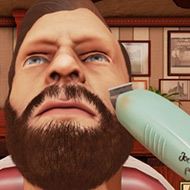



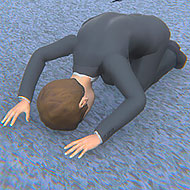


You put on headphones because the game asked you to before it even loaded, and within the first few minutes of Shutter Story you understand why: half of what happens here is meant to be heard shifting behind you before it is ever meant to be seen.
Rather than relying on jump scares alone, Shutter Story builds its tension through glitchy, degraded visuals and audio that behaves like it is coming from damaged equipment rather than a clean game engine. That analog horror style asks you to read static, distortion, and audio cues as information rather than noise, which is a different kind of attention than most browser horror games demand.
A full playthrough runs somewhere between fifteen and thirty minutes depending on how confidently you move through its trickier sections, which keeps Shutter Story short enough to finish in one sitting without losing the tension that builds across a longer format.
Several sections lean heavily on precise mouse movement rather than reflexes or memorization, and these are consistently the parts players find most difficult. Rather than dying to a jump scare, most failed attempts in Shutter Story come from a shaky or mistimed cursor movement during one of these sections, which makes the game feel closer to a tense fine-motor challenge than a traditional horror walk.
Shutter Story is upfront about being intentionally challenging, and it backs that up with real accessibility options rather than leaving players to just struggle through. The Settings menu includes ways to reduce overall difficulty for the mouse-dexterity sections, along with options aimed at reducing motion sickness from the game’s glitch effects, which is a rare and genuinely useful inclusion for a genre that often leans hard into disorienting visuals without offering a way to soften them.
New players tend to play Shutter Story with the volume low or muted, treating it like any other browser game, and immediately miss half of what the audio design is communicating. The headphone recommendation is not a suggestion to be skipped; several of the game’s cues rely on directional or layered sound that a laptop speaker simply cannot reproduce clearly.
The other common mistake is rushing the dexterity sections out of nerves rather than slowing down. Tension in Shutter Story is meant to be sat with, and moving carefully through a difficult section almost always works better than panicking through it.
Shutter Story earns its short runtime by never letting the tension slacken once it starts, and the built-in accessibility options mean a shaky cursor does not have to be the reason a player never sees how it ends. By the time the static clears on that final scene, the headphones you almost skipped will have done more work than you probably gave them credit for.